When you’re done paying for Audible but still have a few credits, the natural plan is to cancel now and use up the credits before the month runs out. That plan has the steps in the wrong order.
Audible’s Conditions of Use say credits “expire immediately upon the cancellation or termination of your membership unless used prior to cancellation or termination.” The cancellation help page says it more plainly: “Your unused credits will be lost along with your other membership benefits.”
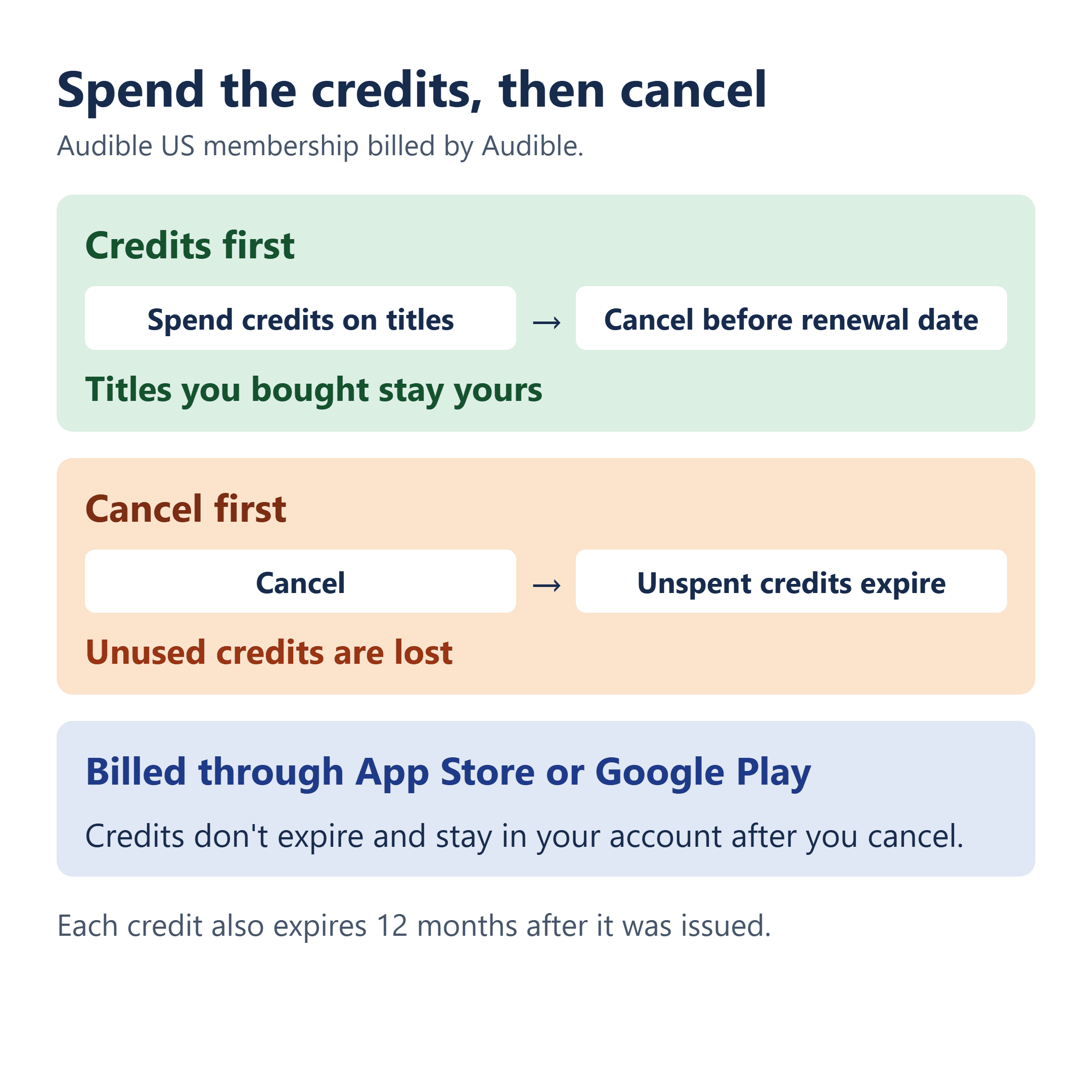
So spend the credits first, then cancel. Anything you get with a credit is yours to keep after the membership ends. The exception is a membership billed through the App Store or Google Play: those credits don’t expire and stay in your account after you cancel. If you can’t pick titles yet, check when each credit expires, then look at pausing (eligible monthly plans only, up to 90 days) or switching to the Standard plan, which keeps your credits until their original expiration dates but still charges a monthly fee.
This covers US audible.com memberships, based on Audible’s terms and help pages as checked October 16, 2026.
What Stays in Your Library, and What Goes
Three different things happen to three different kinds of content when the membership ends:
- Titles you bought stay. Audible’s cancellation page says, “You can listen to titles you purchased with a credit or a credit/debit card anytime. They’re yours to keep and will always be available.”
- Included-catalog titles lock. “You’ll lose access to any included titles you’ve downloaded from the included catalog, and these titles will be locked.” Downloading one isn’t the same as owning it.
- Unspent credits are gone, outside the App Store and Google Play exception below. Credits “have no cash value, are non-transferrable and non-refundable,” so there’s nothing to cash out on the way out.
That’s why the credit is worth spending before the cancel click. Each one lets you choose any title in Audible’s library, regardless of its retail price, and a title bought with it outlives the membership.
Each Credit Runs on Its Own Clock
Before deciding anything, open the credit summary. On the website: select your name, then Membership details, then Credit summary. In the app: Profile, then Settings, then Membership, then Details.
Audible’s credits page says credits “expire 12 months after the issue date, or upon membership cancellation — whichever comes first.” The 12 months run per credit, so a credit from March and a credit from August expire on different dates. Audible also sends a monthly credit summary email that flags credits expiring within 30 days, but the summary page is where every date sits.
While you’re there, note your plan type. Premium plans give “either 1 or 2 credits monthly, or 12 or 24 annual credits upfront.” Monthly credits arrive on your renewal date, the same day each month. An annual member may be holding a stack of prepaid credits at once, and “Annual memberships are not eligible for pause.”
Billed Through the App Store or Google Play? Those Credits Stay
Here the answer flips. Audible says, “Credits received through an App Store membership or a Google Play Store membership do not expire and will remain in your account after cancellation.” Credits bought inside the iOS or Android app don’t expire either.
What counts is who bills the membership, not where you listen. Using the Audible app on an iPhone doesn’t turn an audible.com membership into an App Store membership. Know which one bills you before you pick a route below.
A store-billed membership is also canceled in the store, not on audible.com: “If your membership is through the Google Play Store or App Store, you’ll need to cancel directly.”
Not Ready to Spend Them? Each Route Costs Something Different
| Route | Who can use it | Your credits |
|---|---|---|
| Spend, then cancel | Any plan | Spent ones become titles you keep; unspent ones are lost |
| Pause | Eligible monthly plans, up to 90 days every 12 months | Still usable, no new ones; Audible doesn’t say a pause extends their dates |
| Switch to Standard | Premium members, for a monthly fee | Kept until 12 months after each one was issued |
Pausing a monthly plan
Audible’s pause page lets eligible monthly plans pause for up to 90 days every 12 months, in 30, 60 or 90-day blocks. While paused, “You can continue to use existing credits,” “You won’t receive new credits,” and “You won’t have access to the included catalog.” Payments stop right away if Audible bills you; with the App Store or Google Play, “Your pause starts at your next billing date.” If you’re on a reduced promotional price, the promo period keeps running during the pause and isn’t extended.
The pause page doesn’t say a pause pushes back any credit’s expiration date, and the rule is still 12 months from issue. Check whether one of your credits expires before the pause ends. When it ends, “you’ll be charged the full membership price when your membership resumes,” and the plan “will auto-renew until canceled.” So before that date, either spend and cancel or expect the charge.
On an annual plan
You can’t pause, and your year is already paid for. Audible’s terms say that if you cancel, “you will not receive a refund of any fees already paid.” The route with no extra cost is to choose titles during the year you’ve paid for, then cancel before the renewal date. Standard only becomes worth a look if one of your credits expires after the date you’d cancel, so compare those two dates first, and confirm with Audible when a switch from an annual plan would take effect.
Switching to Standard
Audible’s switch page says, “You keep your credits if you switch to Audible Standard membership, and you can use them until their regular expiration date, which is 12 months after their original issue date.” Standard isn’t free, though. Put your Standard monthly price × the months you’d keep it next to the credits you’d keep and actually use before they expire. Only you can value those titles, so there’s no credit count at which switching always pays off.
On Standard, you pick one new audiobook each month “without using credits.” That pick stays in your library only “as long as your membership is active,” an unused pick “doesn’t roll over,” and picks “aren’t eligible for return or exchange.” Titles you got with credits stay yours either way.
Two hypothetical members
These are made-up accounts to show how the dates decide it. Member A is on a monthly plan with two credits, the first expiring in three weeks, and already knows what to get. Spending both and canceling before the renewal date costs nothing extra; Standard would only add a monthly fee. Member B is on an annual plan with ten credits, about ten months before renewal, and nothing picked yet. B’s year is paid for, so the no-extra-cost route is to choose titles over those months and cancel before renewal. Standard only comes into it for a credit that expires after that cancel date, and only if B would use it.
Cancel Where You’re Billed, Before the Renewal Date
- Billed by Audible: on the website, select your name, then Membership details, then Cancel membership, and confirm.
- Billed through the App Store or Google Play: cancel in your store subscriptions.
- Deleting the app doesn’t count. “Deleting the Audible app will not cancel a membership.”
To avoid the next charge, cancel before your next renewal date. On a monthly plan that’s the same day each month: Audible’s example is a member who enrolled on January 10, whose renewal and next credit fall on the 10th of every month. Your membership runs to the end of your final billing cycle, but don’t treat that as extra time for credits. Spend them before you cancel.
If a renewal charge still shows up after you’ve canceled, here’s how to ask for a refund, dispute a charge after canceling, and stop the next one.
Choose the Titles, Then Choose the Day
The part of this I’d watch most closely is that two dates decide it, and neither is the day you feel like quitting. One is the expiration date on each credit in your summary. The other is your renewal date. Pick titles while both are still ahead of you, then cancel with a few days to spare before renewal.
If Audible is one of several memberships you’re trimming this year, Costco’s Executive tier has its own catch on the way down: how the 2% reward you’ve earned changes what a Costco Executive downgrade refunds.
Based on Audible’s US Conditions of Use and help pages, including Before you cancel your Audible membership, checked October 16, 2026. Your own credit summary and Membership details show your actual dates and price.